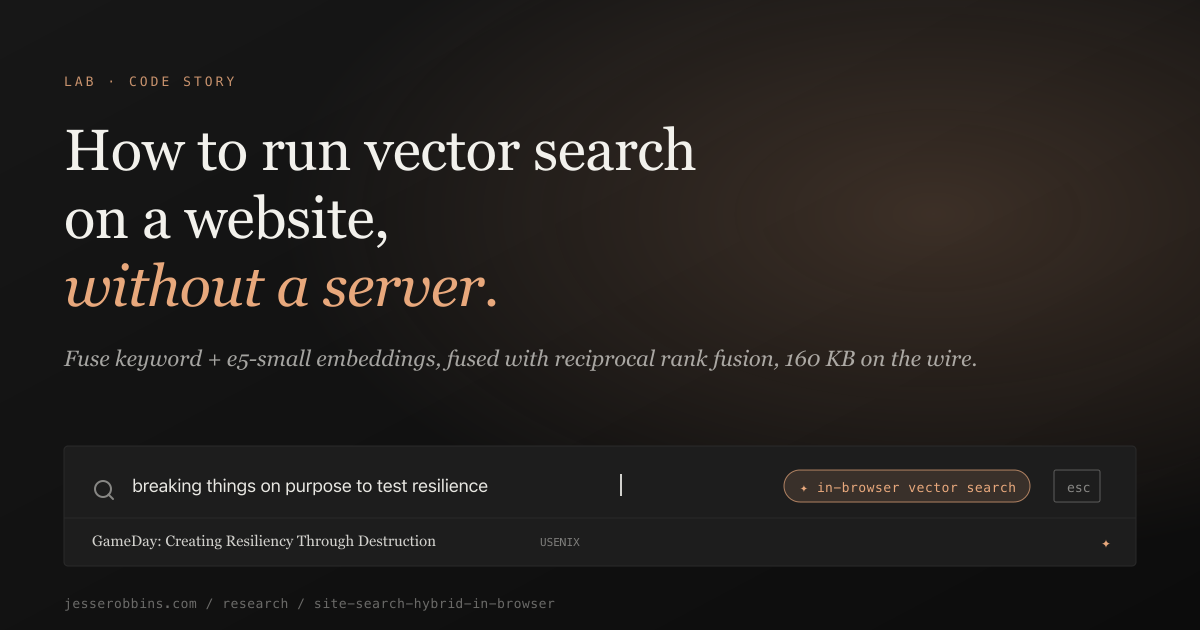
How to run vector search on a website in the browser with no server (like I do)
Here's how to do semantic search on your website without a server. Open the search box on this site and the page quietly downloads a 33 MB embedding model and a 160 KB index of prebuilt vectors. From then on, every search runs locally in the browser and fuses with the keyword pass that was already going. I tested five small models against twenty labeled queries on the real corpus before picking one.
- commits
- 8
- files touched
- 14
- lines
- +4.8k −270
- shipped by
- Jesserobbins
What happens when you open search on this site
Open the search box on this site and two things happen at once. Fuse.js starts matching your keystrokes as a fuzzy keyword search. In the background, the page lazy-loads transformers.js and downloads a 33 MB embedding model called e5-small-v2. There should be no performance penalty to the user, just a magic improvement if and when the model loads in the background.
Why I like this design
1. It's local and on-device. Once the model and the 160 KB index of prebuilt vectors are in the browser cache, both turning the query into numbers and comparing it against every page happen on the user's machine. Nothing about the search ever leaves the page. There is no service for me to deploy, nothing for me to maintain, and no usage to bill.
2. It's lazy. None of the semantic-search code runs until someone opens the search box. The model, the index, and the transformers.js runtime all sit on disk for every visitor who never searches. And if the model never finishes loading (slow network, old browser, Hugging Face mirror down), the keyword search (Fuse.js) is already running, so the user gets results either way and never sees an error.
3. It's efficient. The 160 KB index is less than the average web font, and after the one-time 33 MB model download the browser caches it. Once it is warm, each search costs about 25 milliseconds to turn the query into numbers in the browser, plus a fast similarity comparison against the cached index.
How to implement this on your site
1npm install fuse.js @huggingface/transformersAt build time, embed each document once with the same model the browser will load, quantize the result to int8, and write a single binary file. Commit the binary so production doesn't embed at deploy time.
1import { pipeline } from '@huggingface/transformers'; 2import { writeFileSync } from 'node:fs'; 3 4const docs = await loadCorpus(); 5const pipe = await pipeline('feature-extraction', 'Xenova/e5-small-v2'); 6 7const vectors: Float32Array[] = []; 8for (const doc of docs) { 9 for (const chunk of chunkText(doc.body, { size: 900, overlap: 150 })) {10 const out = await pipe(['passage: ' + chunk.text], { pooling: 'mean', normalize: true });11 vectors.push(Float32Array.from(out.tolist()[0]));12 }13}14writeFileSync('public/search-vectors.bin', quantizeAndPack(vectors));In the browser, run Fuse synchronously and lazy-load transformers.js on the first keystroke. Embed the query with query:, dot-product against the prebuilt vectors, fuse the two rankings.
1import Fuse from 'fuse.js'; 2const fuse = new Fuse(corpus, { keys: ['title', 'tags', 'body'], threshold: 0.3 }); 3 4async function loadVectors() { 5 const [meta, bin, lib] = await Promise.all([ 6 fetch('/search-vectors-meta.json').then(r => r.json()), 7 fetch('/search-vectors.bin').then(r => r.arrayBuffer()), 8 import('@huggingface/transformers') 9 ]);10 const pipe = await lib.pipeline('feature-extraction', meta.model);11 return async (q: string) => {12 const out = await pipe(['query: ' + q], { pooling: 'mean', normalize: true });13 return Float32Array.from(out.tolist()[0]);14 };15}The libraries
Running search this way is an efficient way to get semantic results without a backend. The whole stack is two npm packages, one open-source embedding model, and a thirty-year-old piece of information-retrieval math.
Fuse.js handles the keyword pass. It's a well-known small library, tolerates typos, supports weighted fields, and runs against a few hundred items in well under a millisecond. Plenty of static sites use Fuse alone and ship a search box people are happy with. npm install fuse.js.
transformers.js is the runtime that actually executes a machine learning model in the browser. It's Hugging Face's JavaScript port of the Python transformers library, and it runs ONNX-exported models through WebAssembly, with WebGPU acceleration on the browsers that support it. npm install @huggingface/transformers. (The older @xenova/transformers package is the same code; Hugging Face took it over and renamed it.)
Xenova/e5-small-v2 is the embedding model. It returns 384 numbers per piece of text, the file is 33 MB on disk, and it came out of the bake-off below as the right pick for this size of corpus. e5 has a wrinkle that's easy to miss: queries need to be prefixed with query: and documents with passage: before they're embedded. Without the prefixes the search still works, it just gets noticeably worse.
Reciprocal Rank Fusion merges the keyword ranking and the vector ranking into a single result list. It's a 2009 paper by Cormack, Clarke, and Büttcher, and the algorithm is one line: score(d) = sum over rankings of 1 / (k + rank_i(d)) with k = 60. It's small enough to drop straight into the search component, no library needed.
How to evaluate which model to use
Public leaderboards like MTEB are useful for finding candidates, but they're scored on benchmark corpora that have nothing to do with your content. The only number that matters is how a given model performs on the queries your readers actually type, against the pages you actually have. Test on your own data.
Before shipping this I ran five embedding models against twenty hand-labeled queries on the real 248-item corpus, using Superpowers with Claude Code to drive the bake-off harness. The queries were chosen to span the failure modes that matter: exact lookups, conceptual paraphrases, person-factual lookups, misspellings, question-shaped queries.
1Model nDCG@10 (int8 hybrid) Artifact Download ms/q 2───────────── ───────────────────── ──────── ──────── ──── 3minilm-l6 0.720 94 KB 23 MB 26 4bge-small 0.754 94 KB 33 MB 23 5gte-small 0.800 94 KB 33 MB 16 6e5-small 0.833 94 KB 33 MB 24 7bge-base (768d) 0.768 187 KB 110 MB 35 8 9Keyword baseline (Fuse, all fields): 0.400The more useful number was the crossover by query type. Keyword strictly wins on misspellings. Vector strictly wins on paraphrase and person-factual lookups. There's no single strategy, which is why you should experiment and consider fusing the rankings of multiple systems.