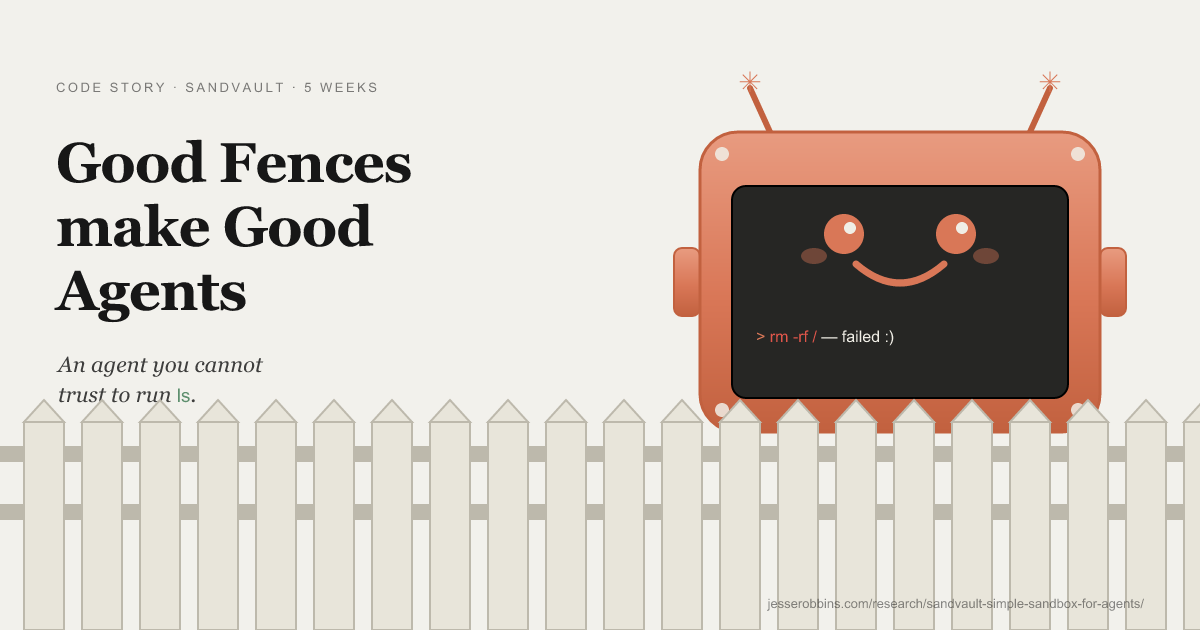
Good Fences make Good Agents: sandvault + /sv skill (part 1 of n)
A simple solution to working with agents that cannot be trusted to run 'ls'.
- commits
- 7
- lines
- +2.3k −21
- with thanks to
- Patrick Wyatt, Mike McQuaid, Eran Sandler, Jesse Vincent, and Nat Torkington for code and editorial review.
rm -rf /
I watched Claude test permissions on my machine by running rm -rf / and report back cheerily that the command had failed. I killed off everything and went quickly from WTF to absolutely-fucking-not.
Good fences make good Agents, or so the saying goes.
The first time you see an agent attempt something like this, or you realize it has just broken containment, it activates something deep, and dark, inside. The first instinct is of course the correct one: nuke it from orbit, the only way to be sure. The second is the realization that there is no going back to the way things were before, and no going forward by being a meat-based approval presser. Which leaves building some kind of containment while running --dangerously-skip-permissions, and then obviously placing a demolition charge on the machine and maybe an axe near the network cable, just in case. "Yes, I'm sure."
The fence-building industrial complex
I count twelve of these from people I know, and that is the undercount. Building fences that turn into gated communities for agents we cannot trust to run ls.
I found sandvault through a post by Mike McQuaid. Other fences below, from people I trust.
TLDR: Enter Sandvault
 Sandvault is from Patrick Wyatt, whose claims to fame include games where you have to build a lot of containment. Each agent runs as a dedicated macOS user behind a
 sandbox-exec profile. The user can write to its own home and a shared workspace under /Users/Shared/sv-$USER/. It cannot read your home, your keychain, your SSH agent, or any other user.
1brew install sandvault 2sv build 3sv claude # also: sv codex, sv opencode, sv gemini, sv shell 4# shortcuts: sv cl, sv co, sv o, sv g, sv s 5cat PROMPT.md | sv gemini # stdin works too/sv is the protocol I added on top of that floor.
Introducing /sv - seamless sandbox handoff
Type /sv in Claude Code or Codex CLI. A sandboxed worker spins up on the other side of the wall with your briefing, and runs there until you're done. You stay in your conversation. /sv pull brings back whatever it did.
After talking with Jesse Vincent about claude-session-driver, his tmux skill for orchestrating subagents, I realized this flow could be collapsed to a single skill. I built /sv and sent Patrick a PR. It works like this.
The diagram below is part of another research project I'm working on. Feedback appreciated.
You stay in one conversation. A second agent, fenced into its own user account with a key to exactly one repo, does the dangerous work in parallel. The whole protocol is two artifacts: a briefing going out, a branch coming back.
You type /sv
The host (Claude Code or Codex CLI) writes a briefing file into the shared workspace at `/Users/Shared/sv-$USER/`. That file is the only thing the sandbox will ever see from you.
A sandbox spins up
`sv-clone` opens a new terminal session inside the `sandvault-$USER` macOS user account. Its own home directory. Its own keychain. Sandboxed Claude (or Codex) starts here.
A per-repo deploy key
A rogue worker can push to one repo: the one it was handed. The sandbox mints its own SSH key, registers the public half on GitHub as a per-repo deploy key, and keeps the private half.
The worker does the work
Sandvault launches the agent, the shell, or any command you choose inside the sandbox, and it runs there until you're done.
/sv pull, and the branch shows up
`/sv pull` brings the branch into your local checkout and reports the SHA. The conversation you were in picks up here, knowing what happened.
1/sv hand a task off to a sandboxed Claude or Codex worker 2/sv status read the report channel from the sandboxed worker 3/sv pull pull the result branch back through the deploy keyThe worker is bounded twice. sandbox-exec keeps it out of your home directory and every other repo on disk. The per-repo deploy key keeps it out of every GitHub repo except the one you cloned. Two independent fences, both enforced by the kernel or by GitHub, neither relying on the worker behaving.
How the sandbox boundary actually works
Run sv claude and the agent runs as sandvault-jesse, sees only what sandvault-jesse can see. If it does something stupid, the radius is bounded by one user account. The model is concrete:
1writable: /Users/Shared/sv-$USER -- shared with you and sandvault-$USER 2writable: /Users/sandvault-$USER -- sandvault's own home directory 3readable: /usr, /bin, /etc, /opt -- system directories 4no access: /Users/* -- every other user, including yours 5no access: /Volumes/* -- mounted, remote, and network drivesCross-boundary work goes through the shared workspace at /Users/Shared/sv-$USER/. When you sv-clone a repo, sandvault adds a sandvault remote on your host-side repo pointing at the in-sandbox clone, so git fetch sandvault pulls commits the sandboxed agent made.
First-run reality. The sandbox user is a fresh macOS user with no credentials, so on first run you have to log into things inside the sandbox. Run sv claude and Claude Code asks you to authenticate. Run sv codex and Codex shows you an OAuth URL. Same for gh, npm, anything else the agent will need. It is the equivalent of setting up a new laptop on the first try. After that, the sandbox user keeps its own session state, so subsequent runs come up signed in.
Running several at once. Point claude-session-driver at the sv commands. Each driven session can be an sv claude or sv codex invocation, so the sandboxing comes along for free. A Claude supervisor can dispatch to sv codex (or Codex to sv claude) to keep the workers on a different token budget.
My sandvault pro-tips
--browser: headless Chrome from inside the sandbox
sv --browser claude starts Chrome on the host with a dynamic CDP port and exposes the endpoint inside the sandbox as $SV_BROWSER_ENDPOINT. Playwright and Puppeteer connect with one line. The Chrome instance runs in an isolated user-data directory so your real Chrome profile is untouched. The sandboxed agent gets a full browser without ever seeing your cookies, sessions, or open tabs.
1sv --browser claude 2sv --lightpanda claude # use Lightpanda instead of Chrome 3# inside the sandbox: 4node -e "import('playwright').then(({ chromium }) => 5 chromium.connectOverCDP(process.env.SV_BROWSER_ENDPOINT))"--ios: drive the iOS Simulator from inside the sandbox
Same shape as --browser. Simulator.app runs on the host (it's a GUI), an HTTP bridge runs on localhost, the bridge endpoint is exposed inside the sandbox as $SV_IOS_SIMULATOR_ENDPOINT. The bridge translates calls into xcrun simctl plus iosef. Add --ios-gui to watch the simulator window while the agent drives it.
1sv --ios claude # bridge only, no visible window 2sv --ios --ios-gui claude # bridge + watch the simulatorNested-sandbox carve-outs
macOS doesn't support recursive sandboxes, so swift and xcodebuild (which already sandbox themselves) break inside sandvault unless you tell them not to. Sandvault sets SV_SESSION_ID in the environment so your build scripts can detect they're already inside a sandbox and stand down their own.
1if [ -n "$SV_SESSION_ID" ]; then 2 export SWIFTPM_DISABLE_SANDBOX=1 3 XCODE_FLAGS="--disable-sandbox" 4fi 5xcodebuild $XCODE_FLAGS build--native-install (-N): self-contained sandboxes
By default sandvault uses your host's Homebrew to install Claude / Codex / OpenCode / Gemini. With -N, the AI tools install inside the sandbox using each tool's own installer. Useful when you want the sandbox to be self-contained, or when you don't want sandvault touching host Homebrew at all.
1sv --native-install build # one-off 2sv -N claude # short form 3export SANDVAULT_ARGS="--native-install" # make it the defaultDotfiles sync (with a different prompt for the sandbox)
Drop your shell config into /Users/Shared/sv-$USER/user/, and sandvault copies it into the sandbox user's home on each build. I keep a different-coloured prompt in there so I always know when I'm looking at a sandbox shell. Mike McQuaid's dotfiles have a script/sync worth borrowing.
1mkdir -p /Users/Shared/sv-$USER/user 2cp ~/.zshrc /Users/Shared/sv-$USER/user/.zshrc 3cp ~/.gitconfig /Users/Shared/sv-$USER/user/.gitconfig 4cp -R ~/.config /Users/Shared/sv-$USER/user/.config 5sv build # picks them up on next buildA few other fences my friends with trust issues are building...
Sandvault isn't the only one I'd trust on my machine. Full writeup coming; until then, public links only:
agentsh — Eran Sandler (@erans). Execution-layer security: policy-enforced bash-compatible shell. Point your harness at agentsh instead of /bin/bash and it intercepts syscalls against a deterministic policy. Ships a local DLP proxy for secret detection. Stricter quarantine than sandvault. Eran also writes about why he built it.
navaris — Eran Sandler. A sandbox control plane for managing isolated execution environments across multiple backends (LXC / Firecracker), with copy-on-write fork support. Signature feature is that you can peek into a running sandbox without breaking it.
Stockyard — Jesse Vincent. Firecracker VM farm + ZFS. 1.9-second container start on a NUC. ZFS copy-on-write snapshots from pre-tool-use hooks for state rollback. Tailscale auth, in-browser console. Ephemeral cattle VMs.
agent-safehouse — by Eugene. Single self-contained shell script that wraps any agent invocation with sandbox-exec. Claude Code, Codex, Gemini CLI, Cursor Agent, Cline, Aider.
Full writeup is the next post in the series unless I get distracted by something else.
What I shipped
Seven commits upstream. /sv is the headline; agentsview export is the second new feature; the rest is the plumbing /sv needed and the bugs I tripped on getting it there.